
Your film stocks
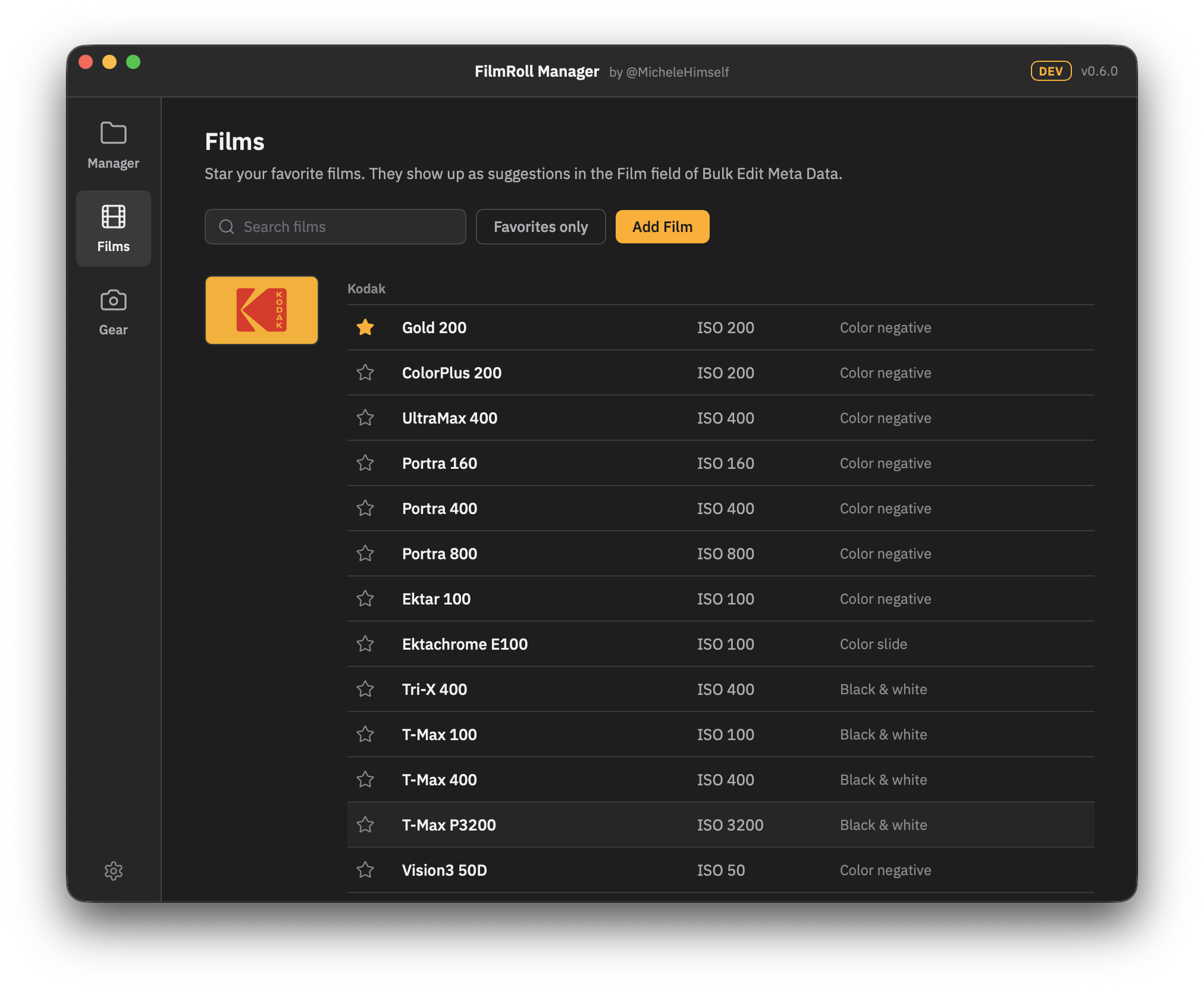
Stop retyping the same films. Pick your favorites from a long list of current film stocks and they show up right in the metadata editor.
The perfect post-lab process
Organize your files, edit their metadata and create printable contact sheets, all in one app. Your film rolls, ready to archive: digitally and physically.
Currently available for macOS.
Make your film scans ready for storage
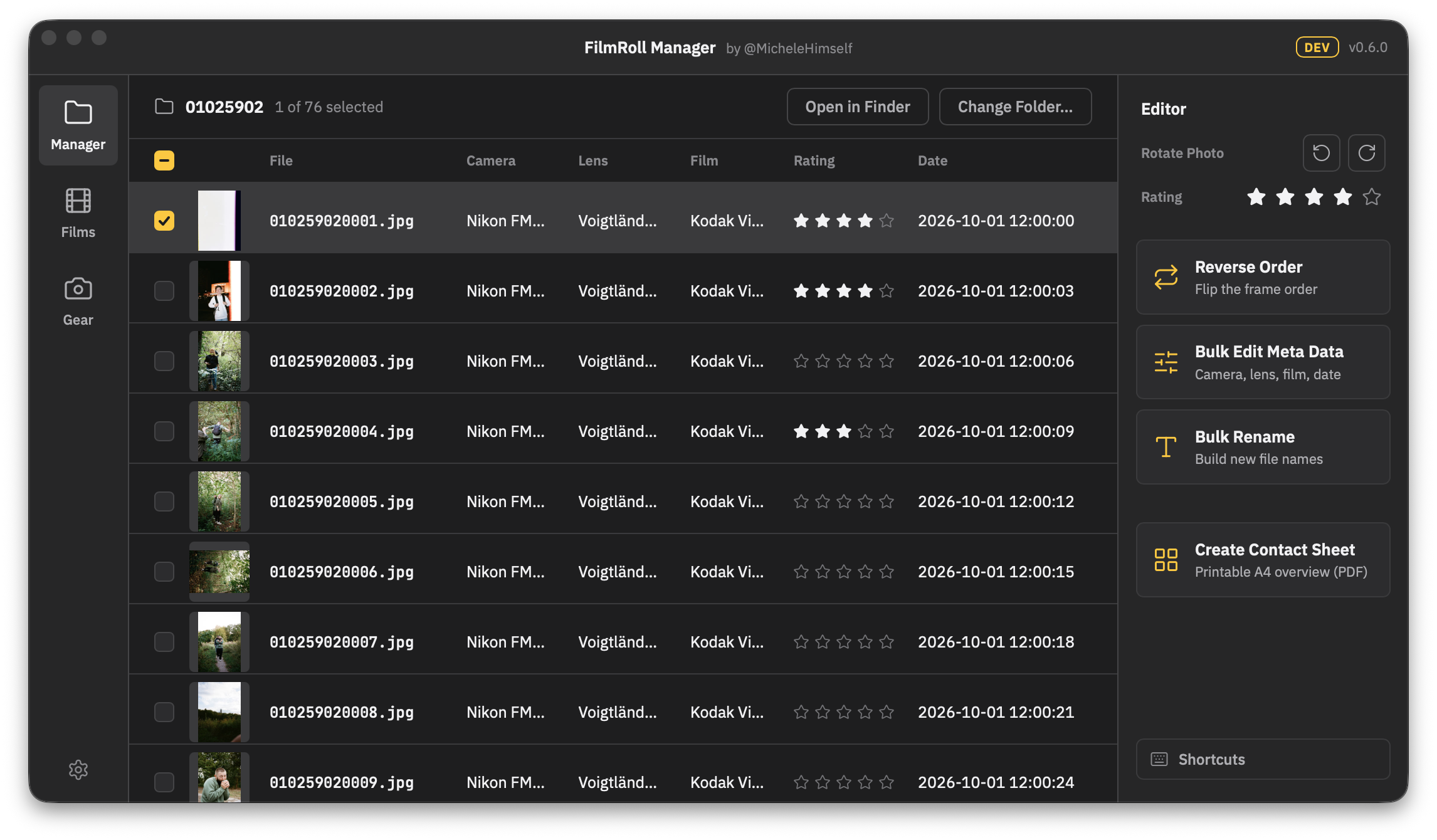
Unlike photos from a digital camera, lab scans arrive without metadata. Import them into your photo library as they are and they end up in the wrong order and the wrong place. FilmRoll Manager fixes that.

Was your film scanned backwards? It happens a lot with respooled film. Reverse the whole roll with one click.

When did you shoot the roll, and with which film, camera and lens? Enter it once and it is embedded in every frame.

Bare numbers are boring. With your metadata, film stocks and gear in place, renaming a whole roll feels like building with bricks.
One more thing
Filing negatives is tedious when you can barely tell the frames apart. A contact sheet shows the whole roll at a glance, no light table or loupe needed.
That's where FilmRoll Manager shines as well.

FilmRoll Manager turns any roll into a printable contact sheet. File it right next to your negative sleeve and know what is on every frame.
Film stocks, cameras and lenses
Stop retyping the same films. Pick your favorites from a long list of current film stocks and they show up right in the metadata editor.
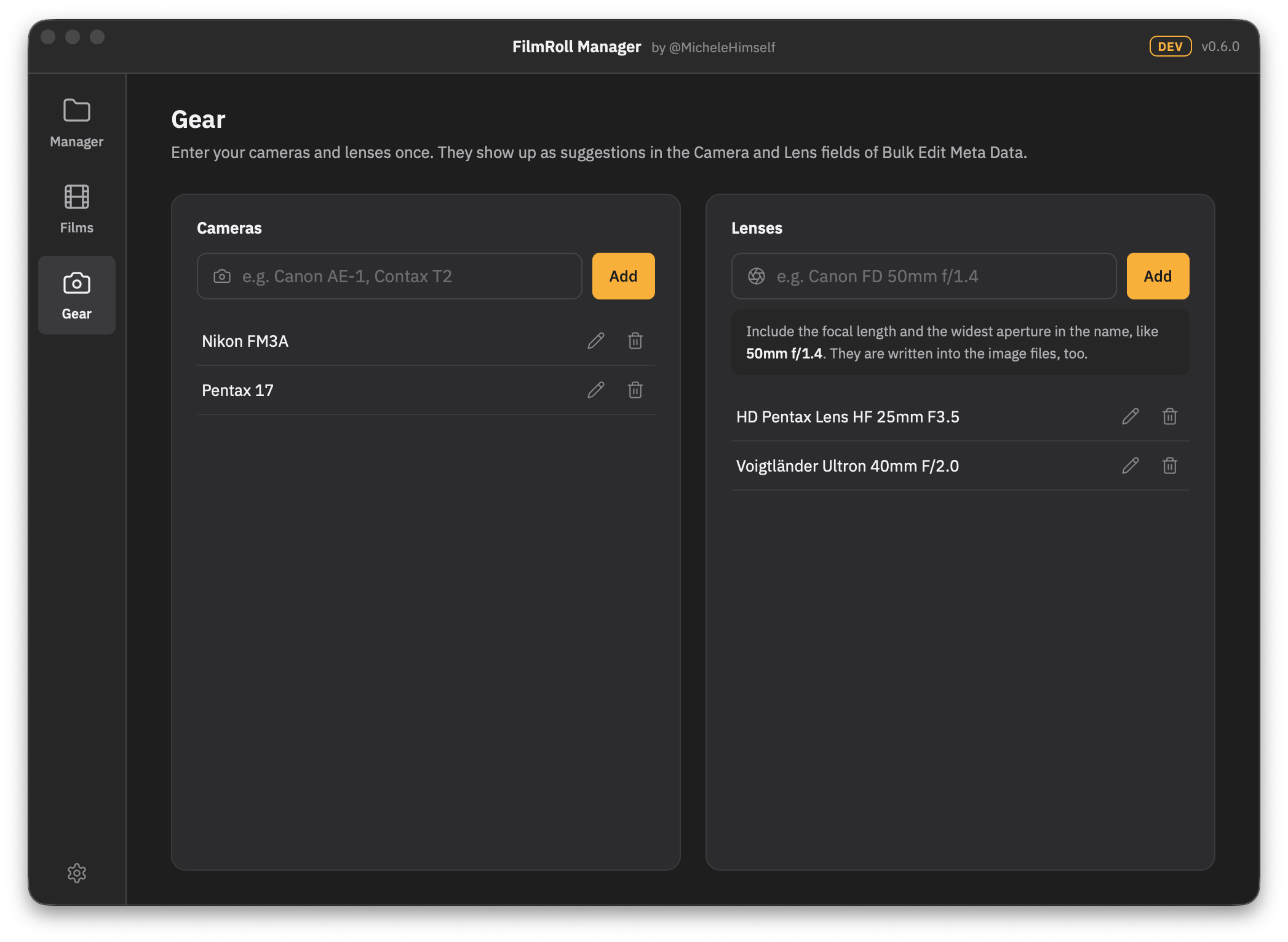
Save your cameras and lenses once and pick them in the metadata editor. FilmRoll Manager embeds both correctly in every file.
Free for Mac
100% free, no account. Windows and Linux are on the way.

The Creator
I'm a photographer, designer and maker of books.
I've been shooting film for a while now, but every time the scans come back from the lab I struggle to organize my film rolls properly (it's a big problem!!!). That's why I created FilmRoll Manager.
I hope it helps with your process too. Some of its features exist in other editing apps, but I wanted a more streamlined and minimal experience. And hey, it's free for everyone so check it out!
FAQ
Only metadata is written. The picture data stays untouched. Still, it is a good habit to try FilmRoll Manager on a copy of a scan folder first.
JPG, PNG and TIFF. Star ratings currently work for JPEG files only.
No. Everything happens on your computer. There are no uploads, no account and no analytics.
Yes. I built it for my own rolls and share it for free.
The app is built to run on both, but there is no date yet. The download buttons go live as soon as the builds are ready.
Free for everyone
100% free. No account, no subscription. Everything happens on your computer, your scans are never uploaded anywhere.
For Apple Silicon Macs. The app updates itself.
Download .dmgThe app is built to run on Windows. A download follows as soon as the build is ready.
Coming soonPlanned as .deb and AppImage, on the same schedule as Windows.
Coming soon